Board applicant wishes to switch out their board selections after the application is validated

Board applicant wishes to switch out their board selections after the application is validated

One of our board applicants wishes to switch out their board selections, however I am unable to edit the application because it is already validated. How can I work around this so that I can update his application?

Since the application has been already validated but you will need to do it renew the application to convert it back to a Received status. 

First in the view application click on Renew:


Then on the Renew page choose renew immediately and add the boards you want the applicant to be assigned to and click on the X to remove the ones they no longer want to be considered for. When complete click on Renew Application at the bottom of the page. 


You will now see that the applicant has 2 applications and we next will want to remove the one that has the incorrect boards so click on View of the application we want to remove. 


Now we are going to mark this application for purge. This will remove the application from any boards or application lists. 
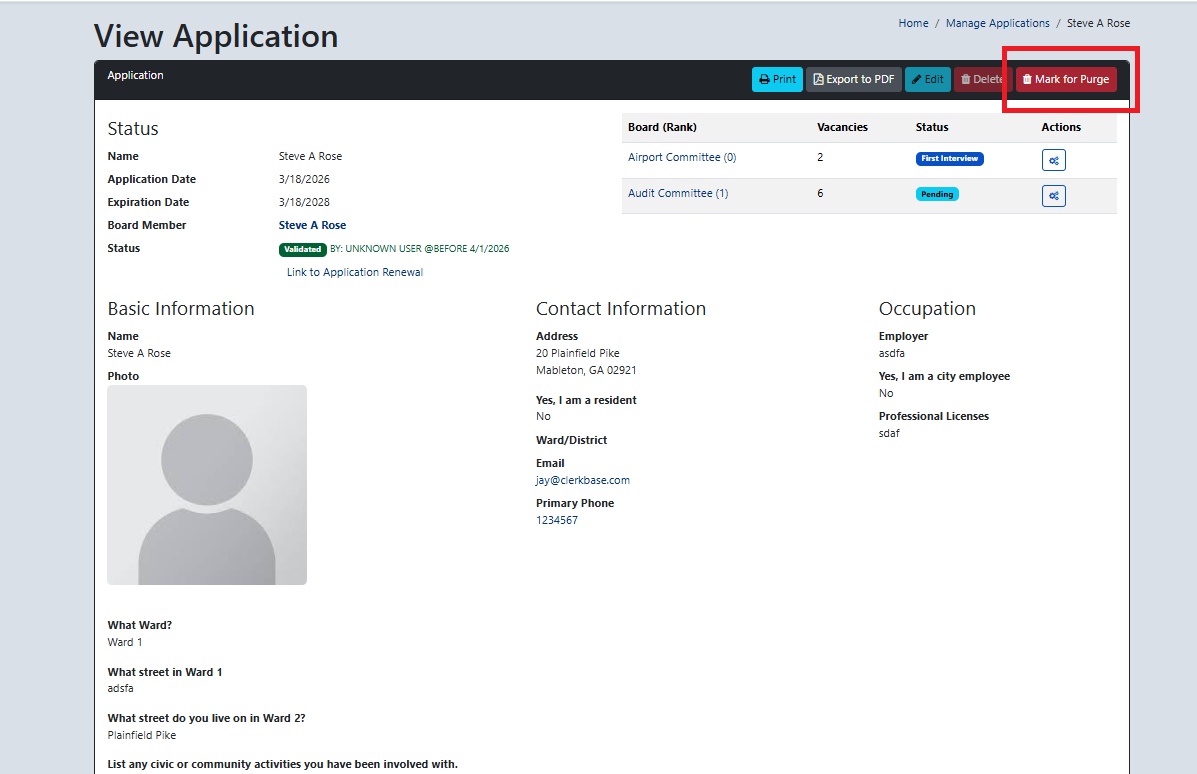


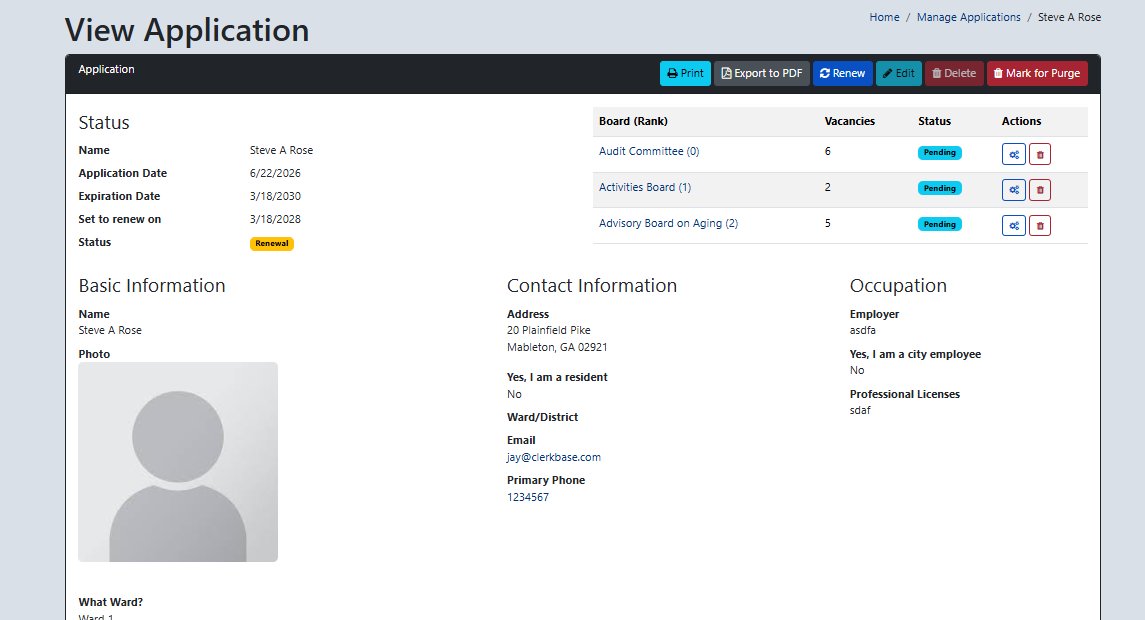
The application is now marked for purge and you will now only have one validated application listed with the correct boards.

    • Related Articles

    • Validate application and add member to seat on board

      After viewing the application if everything looks good and has the needed information click on Validate and then Create New Record On the next screen look through the fields and confirm everything looks ok and add any missing any needed information. ...
    • How do I remove or hide an applicant / application when running Applications reports?

      Click Settings in the left-hand navigation pane and then click Board Application Statuses to create a custom status. On the right you will see Create New Board Application Status with a field for a custom name (i.e. Ineligible; On Another Board; ...
    • Application Messages - Form, Closed, and Confirmation screens

      The Applications module allows you to customize the language on the application form, the on-screen message applicants see after submitting, and the email the applicant receives immediately upon submitting the application. Click Settings in the ...
    • Manage Applications

      Under Manage Applications you will see the received application. Click on View and then if you see that everything is in order with this application make note of what Board and/or Seat that the applicant is applying for you click on Validate to ...
    • Can expired applications of current board members be purged from OnBoardGOV?

      I have noticed that some of our expired applications in OnBoardGOV are for currently serving board members. I do not want to delete their applications, despite them being more than a year old because they are active board and commission members. ...